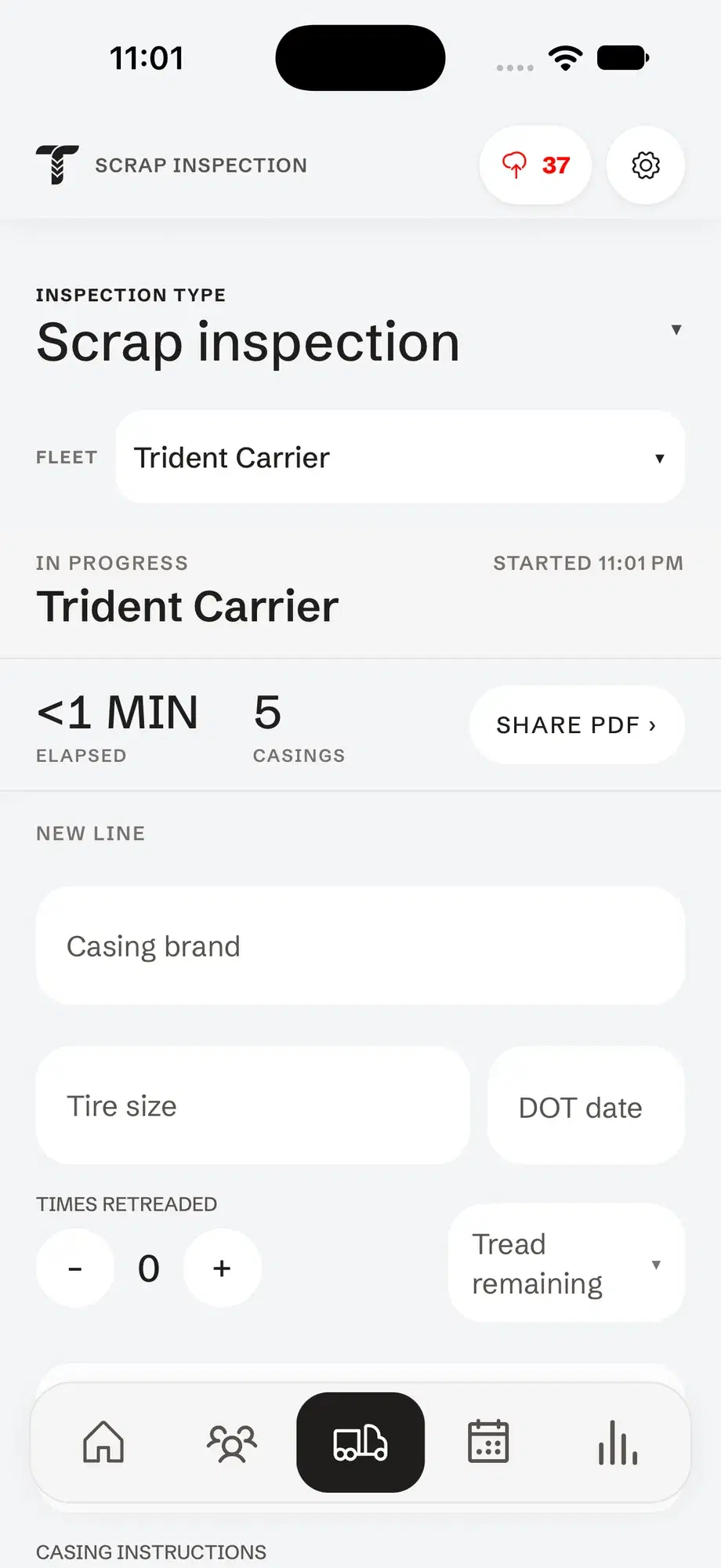
Fleet tire inspections on your phone.
Pick the customer and the truck, tap each tire to record air and tread, and send the fleet a tire inspection report before you leave the yard.
How to inspect a truck’s tires in Tread Rep
Pick the account and unit
Choose the customer, then the truck or trailer, and enter the odometer. The diagram shows that unit’s axles: steer, drives and trailer.
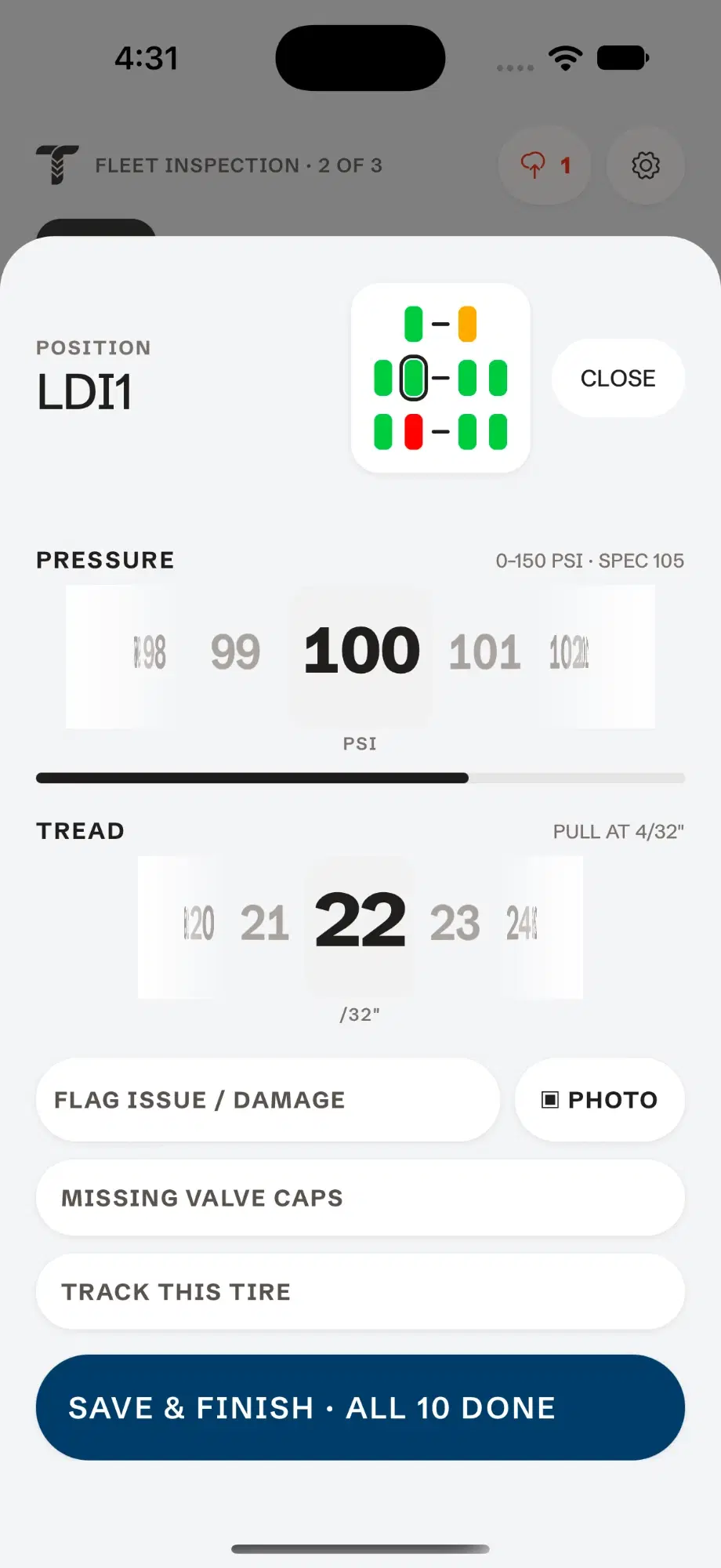
Tap each tire
Dial in the air pressure and tread depth. Flag damage, add a photo, or mark a missing valve cap on that tire.
Check the mud flaps and finish
Mark the flaps, then complete the unit. Each position gets a result — pass, low air, no cap or fail — and you move to the next truck.
Share the report
Tap Share PDF to text or email the tire inspection report. It is also saved to the customer’s account.
One truck, from first tire to finished report.
- 01
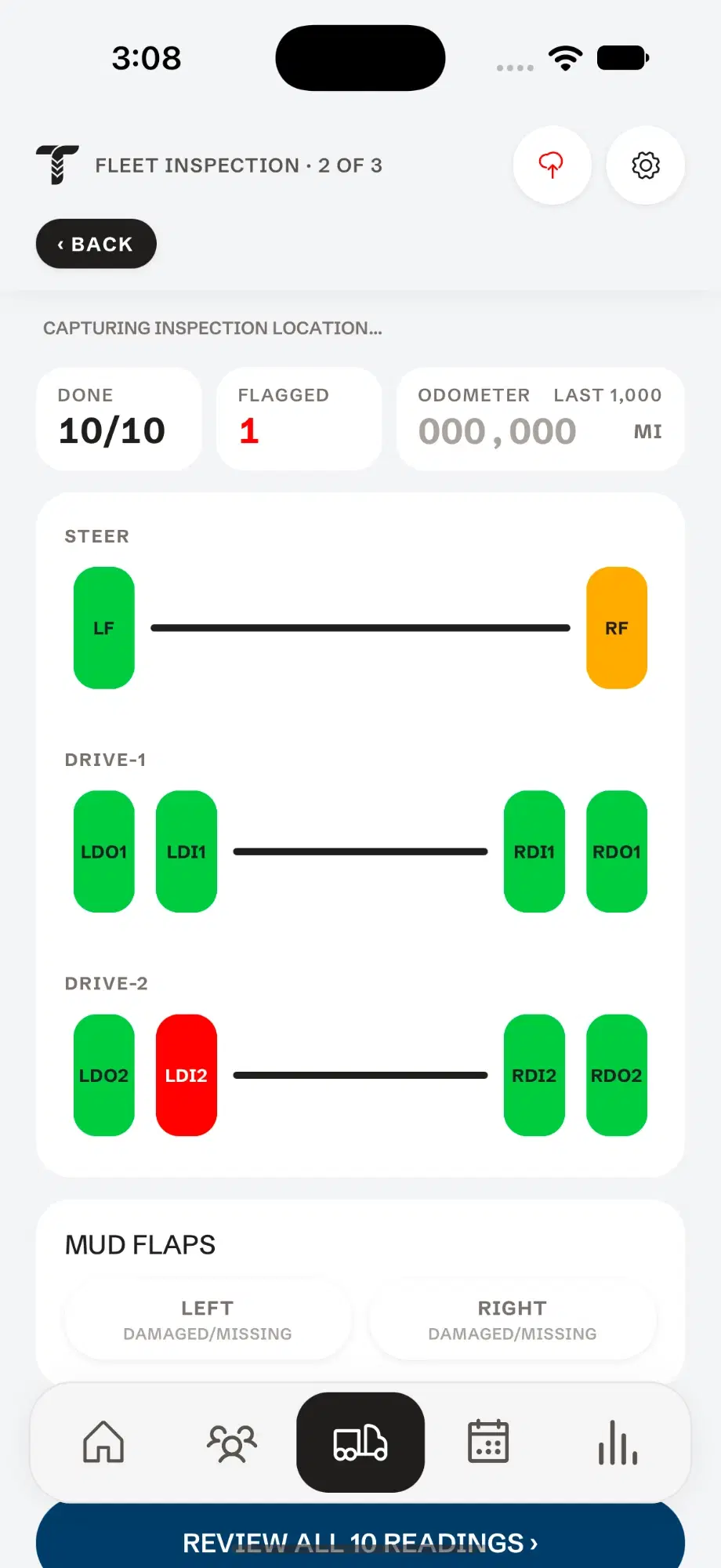
Every axle, drawn the way the truck is built.
Steer, drives and trailers laid out position by position. Tap a tire and its readings open right there.
- 02
Dial in the pressure.
Spin the dial to the reading. The gauge range and the tire’s spec sit right above it, so you know at a glance whether it wants air.
- 03
Then the tread depth.
The same dial, in 32nds. The pull point sits beside it, and damage, photos, valve caps and tire tracking are one tap below.
- 04
Read the whole truck at a glance.
Green passed. Amber wants air. Red needs work. What’s done and what’s flagged stays pinned to the top, and every reading gets one review before the report is filed.
Try it — tap a tireDone0/10Flagged0STEERDRIVE-1DRIVE-2Mud flapsPOSITIONLFPRESSURE0–150 PSI · SPEC 110PSITREADPULL AT 4/32"/32" - 05
Don’t forget about missing or defective mudflaps.
Missing or defective mudflaps are one of the easiest violations to spot while a truck is in motion. Mark each side right on the inspection.
A tire inspection report they can act on.
Not a blank checklist filled in by hand — a finished report, on your letterhead, built from what you recorded.
- The issues to fix first: tires to replace or re-air, valve caps, mud flaps
- Every position’s pressure and tread depth, and how far each tire is from its pull point
- Photos attached to the tire they show
- Units inspected, positions in spec and positions needing work
- When and where the inspection was done
Questions
What should a truck tire inspection check?
Air pressure and tread depth at every position, visible damage, valve caps and mud flaps. Tread Rep asks for each of these on every tire, so nothing on the form gets skipped.
What tread depth fails a DOT inspection?
Under federal rules (49 CFR 393.75), a steer tire is out of service below 4/32" in a major groove, and other positions below 2/32". Tread Rep flags any tire at 4/32" or less, so worn tires show up on the report before they become a violation.
Is there a tire inspection form PDF I can use?
Tread Rep replaces the printable form. You record the inspection on your phone, and it produces the finished tire inspection report as a PDF, ready to send.